
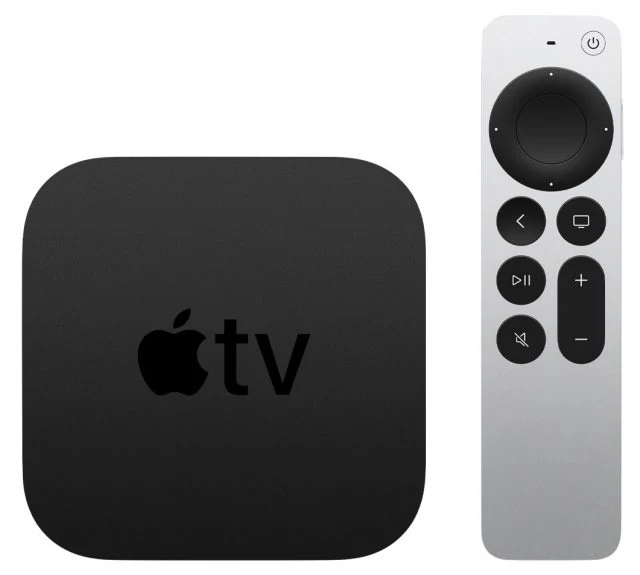
Use the MLB app on Apple TV, and know what Apple TV means
For MiLB viewing on an Apple TV streaming box, start with the MLB app and an account whose subscription includes Minor League games. Do not assume that buying an Apple TV entertainment subscription gives you the MiLB catalogue, or that the mobile MiLB app has a separate Apple TV version.
The names create a genuine trap. Apple TV can mean the hardware connected to your television, the Apple TV app or Apple's subscription service. Those are different things. Your streaming box can run third-party apps, including MLB, without turning every game in those apps into an Apple subscription benefit.
| Name | What it refers to here | Why the distinction matters |
|---|---|---|
| Apple TV hardware | The streaming box and remote | Runs the compatible MLB app |
| Apple TV app or subscription | Apple's viewing service and catalogue | Not a general MiLB subscription |
| MLB app | MLB's supported television app | The starting point on Apple TV hardware |
| MiLB mobile app | The official phone and tablet companion | A useful separate viewing and schedule route |
MLB's official Apple TV App Store listing includes Minor League viewing and identifies tvOS compatibility. At the October 17, 2026 check, it requires tvOS 18 or later. Verify the current listing before buying hardware or relying on an older box. A free app download is separate from access to subscription video.
By contrast, the current MiLB listing identifies iPhone and iPad compatibility. A "TV" link in the App Store's global navigation is not evidence that this particular app runs on tvOS. Read the app's Compatibility section and the publisher's name instead of inferring support from a search result's URL.
Install or update MLB through the Apple TV's App Store, then use the account sign-in offered by the app. The exact home-page arrangement can change with releases. This guide explains how to identify the right content and diagnose missing access without pretending that one old screenshot matches every current version.
Apple's Friday Night Baseball coverage is a separate major-league product. It does not establish which Triple-A or Double-A game your MLB account can play. If you are choosing between baseball services, our MLB app guide explains their different jobs.
Finally, confirm that there is a live Minor League game to watch. By mid-October, ordinary full-season MiLB play has ended; archives and special events require their own listings. An empty live row during the offseason is not, by itself, evidence that the app installation failed.
Confirm your Minor League subscription and account
Access has two parts: the package must include the content, and the app must recognize the account holding that package. Owning Apple TV hardware settles neither question. Before starting another purchase, identify what you already pay for and where that subscription is managed.
Check an existing entitlement before buying again
MiLB's current guidance identifies MLB.TV and MLB+ as subscription routes for Minor League viewing. Review your account's active subscription and its stated benefits, particularly if you obtained it through a partner or promotional offer. A receipt, account email and subscription name are more useful than remembering only that you "bought baseball."
Our MLB+ guide explains that product, while the MLB.TV subscription guide covers the broader major-league package. Use those comparisons before paying for a second service whose benefits may overlap your existing access.
A visible subscription offer in an app does not prove that you need another subscription. You might be signed out, using a different email address or looking at a product that is separate from the benefit you already hold. Check those possibilities in that order. Keep a purchase confirmation available if support needs to reconcile the account.
Also separate the cost of installing an app from the cost of playing a game. The App Store can label a download free while listing in-app purchases. That is normal for an app offering both free scores and paid video. It does not mean every game shown inside it should play without an entitlement.
Use the current MLB sign-in rather than an old activation tutorial
The current MiLB streaming FAQ tells viewers to use their MLB account. Older tutorials can describe a separate MiLB redemption or account-creation process. Follow the current account instructions for your purchase rather than repeating an outdated setup merely because it once worked for another subscriber.
If your purchase came through another provider, verify the provider's current linking instructions. Do not assume that its billing password is automatically the password for your MLB account. Conversely, creating a new account with another email address can make a valid purchase harder to recognize if you do not complete the required link.
When the television app offers sign-in or activation, use the instructions shown on that device and the official destination it specifies. Never share a password in a support forum or send a screenshot containing a live activation code. You can describe the error and account type without making the credential public.
Once you can sign in, try an included game on another supported device under the same account. That comparison helps distinguish an account problem from a television-app problem. If the account cannot play included video anywhere, repeatedly reinstalling the Apple TV app is unlikely to be the most informative next step.
Find affiliate games and distinguish live streams from archives
Once the account is recognized, look for Minor League content within MLB's home or viewing area. A list of major-league games is not the complete description of the app's content. The useful entry may be a separate Minor League row associated with your favorite organization.
Start with the favorite-team Minor League row
Set or confirm the MLB club whose affiliates you want to follow, then inspect the corresponding Minor League listings. Fort Wayne's 2026 broadcast announcement, for example, tells MLB.TV subscribers to select San Diego for Padres affiliate games. Menu placement can vary with the television app's version, so use the row labels rather than an assumed number of remote clicks.
Affiliation is the important relationship, not a matching city name. A prospect's club can be several states away from its MLB parent. If you are unsure which organization to select, our farm-system levels and teams guide explains how those relationships fit together.
Favorite-team discovery and subscription access should remain separate in your thinking. Changing a favorite helps surface relevant content; it is not a substitute for an eligible account. Equally, a missing tile on a personalized home page does not prove that the entire subscription lacks Minor League video.
When the desired game is not there, confirm its date, opponents and available broadcast through the full MiLB schedule. Do not assume that the television app exposes the complete directory in exactly the same way as MiLB's mobile app or website. A smaller personalized selection and a larger searchable catalogue can coexist.
Live and archived games need another distinction. A scheduled start time is not a promise that a broadcast link is already live. An archive is a recording of a completed game, not the next scheduled meeting between those clubs. Verify the date and opponent before selecting a familiar team logo.
If you are following one prospect, confirm that the player was actually on that affiliate's roster for the game you select. Promotions, rehabilitation assignments and ordinary rest can change the relevant game. An older archive can still be valuable, but it will not automatically show the player in the current uniform or at the current level.
During the offseason, start with archives deliberately. An empty live list is expected when no covered game is scheduled. Changing accounts, favorites and subscriptions repeatedly will not create a live broadcast on an off-day. First establish that the game exists in the schedule and has a viewing option, then investigate why your device cannot reach it.
Save the exact listing when you need help. A date, two clubs, live-versus-archive status and the device app version give support a concrete example. "Minor League baseball is missing" is much harder to diagnose than one identified game that plays elsewhere under the same account.
Use a supported alternative when the TV app cannot show your game
If the game exists and your account plays it elsewhere, investigate the viewing route before buying another subscription. A television app and a mobile app do not necessarily expose the same navigation. Your immediate goal is to reach one identified broadcast through a supported player.
Check AirPlay support before relying on it
AirPlay is a possible option only when the current video app or player supports it. Apple explicitly warns that some video apps do not. The presence of AirPlay elsewhere on your phone is not a promise that every MiLB live stream or archive can be sent to the television.
When a supported player offers AirPlay, connect the sending device and receiver to the same Wi-Fi network, select the player's AirPlay control and choose the Apple TV. Follow any passcode prompt shown on your own screen. Apple's AirPlay instructions explain the general procedure.
Screen mirroring is a separate function, and a visible phone interface does not prove that protected video will play. If the picture goes black, do not assume your baseball subscription has vanished. Return to the native MLB app or a supported mobile or web player, and identify the specific route that fails.
For receiver-discovery problems, check software updates, the network and the Apple TV's AirPlay settings. Guest Wi-Fi or managed networks can require separate help. Test connectivity without promising that a successful connection changes the video's own playback support.
Keep the full MiLB directory as a fallback
The official MiLB streaming schedule is useful when a personalized television row does not contain the desired game. It lets you identify the exact date and broadcast before making further changes. You can also use the official MiLB mobile app on a compatible phone or tablet.
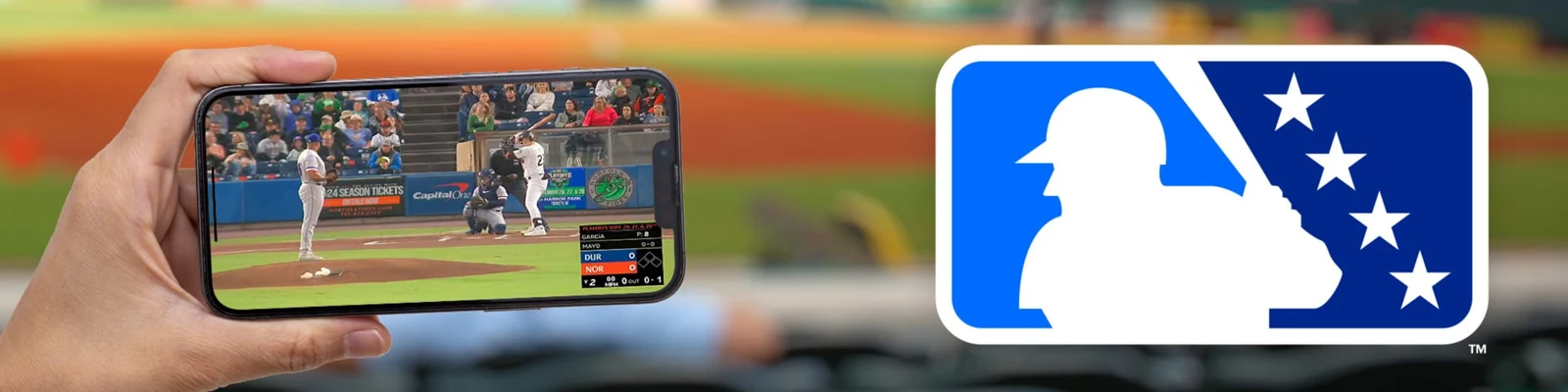
At the October 2026 check, MiLB's published mobile requirements include iOS 18 or later for supported Apple mobile devices. Check the current store listing rather than assuming an old iPad is still supported. A compatible browser on a computer is another documented route.
These alternatives help diagnose the television problem as well as provide a way to watch. If the same account plays the same game on a phone but not the Apple TV, you have narrowed the failure to the device or app path. If the game cannot be found in the official directory at all, changing the television's network settings is unlikely to create the missing broadcast.
Troubleshoot the stream before changing your subscription
A missing game, a sign-in error and a video that buffers after starting are different failures. Describe the symptom before changing anything. That description determines whether you should investigate the schedule, the account or the playback device, and prevents a broad reinstall from obscuring useful evidence.
- Identify the broadcast. Record the date, opponents and whether you want live video or an archive.
- Check the account. Confirm the account email and active package without sharing the password.
- Try a comparison game. Establish whether one feed or every included game fails.
- Try a supported second device. Compare the same game under the same account.
- Update and restart. Use the current MLB app and supported Apple TV software, then retry the identified game.
- Escalate with details. Report the error wording, device, versions and results of those comparisons.
If video starts but the sound is absent, try another game before assuming your television's audio system is broken. MiLB notes that individual ballpark feeds can have audio problems. When every app on the television is silent, however, the television or receiver deserves attention. Those two tests point to different causes.
For a missing archive, allow for processing rather than expecting the final out to create an immediate replay. MiLB says full archives can take up to 48 hours. Check the correct date in the directory, and avoid confusing a highlight package with a full-game recording. If the published window has passed, include the exact game in a support request.
When several games buffer on the Apple TV but work elsewhere, examine the television's network path. Other household traffic, Wi-Fi conditions and software can affect playback. Make one change at a time so that you can identify what helped. A connection problem does not automatically mean that a more expensive subscription would produce a better stream.
If you need a device restart, Apple's Apple TV restart instructions explain the supported methods. Restarting differs from erasing or resetting the device. Keep a factory reset for a justified troubleshooting path rather than treating it as the ordinary first response to one missing game.
For account or stream issues that remain unresolved, use MLB's official help center and provide the specific comparison you made. Say that a named archive plays on an iPad but fails in MLB on Apple TV, for example. That gives support a reproducible situation. A vague statement that "MiLB is not on Apple" leaves the hardware, service and app confusion unresolved.
The useful end state is straightforward: a supported Apple TV running MLB, a recognized subscription, a known available game and a playback route that works. Keep the mobile app or full MiLB schedule available for discovery and diagnosis, while treating AirPlay as a supported-player option rather than a universal promise.
Loading comments...