
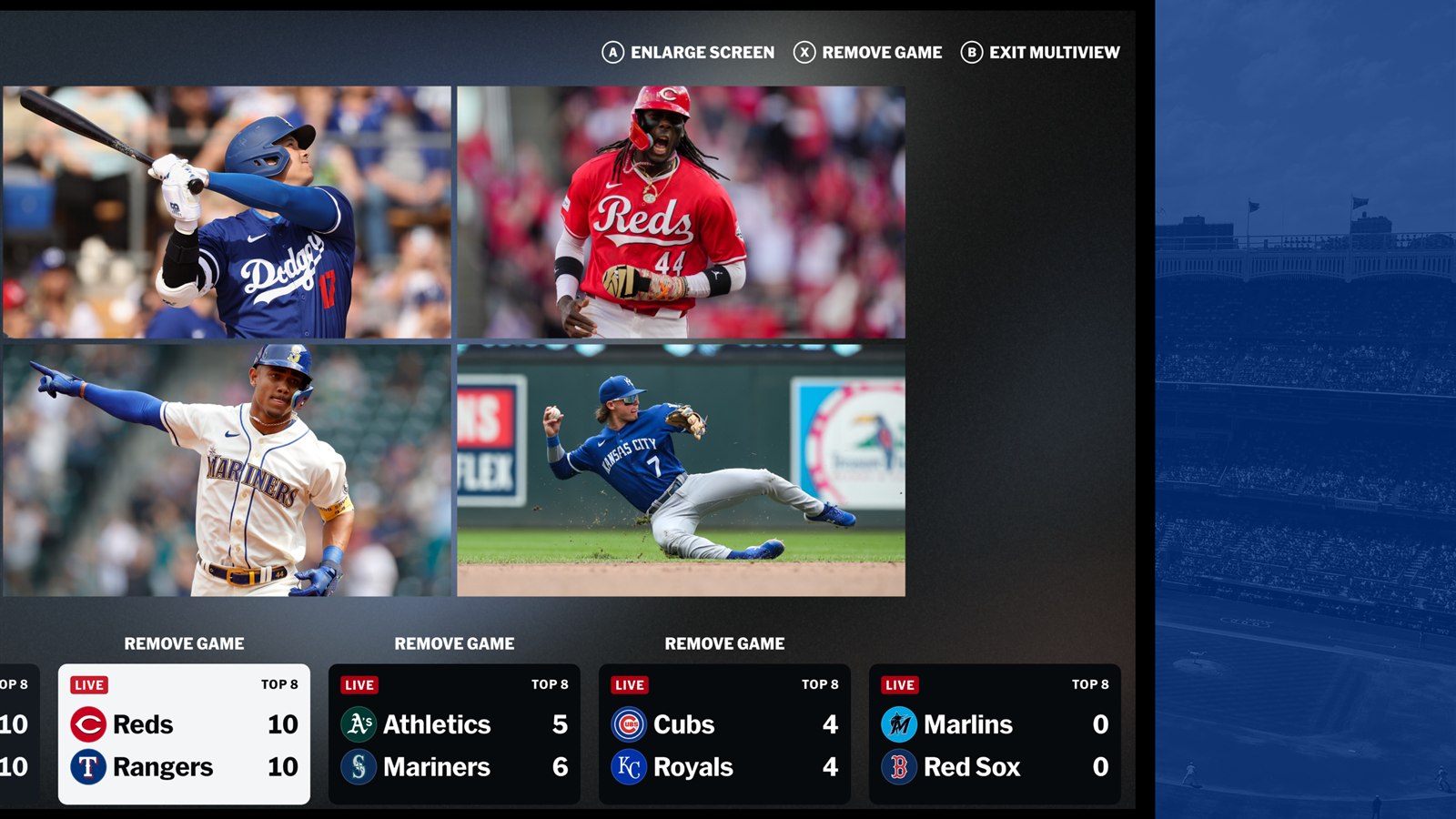
As of August 2, 2026, MLB's checkout page lists MLB.TV at $94.99 for the rest of the season. That is an in-season seasonal price, not the price fans saw before Opening Day. MLB and ESPN launched the 2026 plan at $149.99 for the season, with a $29.99 monthly option. Prices can fall again as the calendar advances, so confirm the total on the checkout screen before paying.
MLB.TV remains primarily an out-of-market package. It is valuable if you follow clubs outside your home television territory, but it does not turn every local or nationally exclusive game into an available live stream. Check the current MLB TV schedule for the exact outlet carrying a game before treating a subscription as the answer for one particular matchup.
The other major 2026 change is the ESPN relationship. New U.S. buyers can purchase MLB.TV through ESPN, watch on ESPN-supported devices, and link an MLB account for additional MLB-app features. The included one-month promotion is a trial of ESPN Unlimited, not a free month of MLB.TV. Those two products also have separate cancellation choices.
MLB.TV price in 2026
The most useful number is the price shown when you are ready to buy. MLB's official subscription page displayed $94.99 for the seasonal plan on August 2. MLB's 2026 ESPN FAQ still provides the full-season baseline: $149.99 seasonal and $29.99 monthly. That difference is expected because MLB says the seasonal offer receives price reductions as the season progresses.
| Option | 2026 price or billing | Best understood as |
|---|---|---|
| MLB.TV Seasonal | $94.99 as checked August 2; launched at $149.99 | Rest-of-season access at the current in-season price |
| MLB.TV Monthly | $29.99 per month | Shorter commitment, billed monthly through October |
| MLB.TV for an existing ESPN Unlimited subscriber | $134.99 seasonal launch offer | Opening-season ESPN subscriber pricing; compare with today's lower in-season offer |
| MLB+ | $59.99 per year as checked August 2 | A different audio/MLB Network product, not full out-of-market MLB.TV |
Do not compare MLB.TV and MLB+ on price alone. MLB+ emphasizes blackout-free radio for all 30 teams, MLB Network in the United States, select out-of-market games shown by MLB Network, MiLB, MLB Big Inning and Gameday 3D. Full MLB.TV is the package for live and on-demand out-of-market regular-season game feeds.
The renewal dates matter as much as the sticker price. MLB says a seasonal subscription renews around March 1, 2027 at the then-current full-season price. Monthly subscriptions bill through October, stop billing during the offseason, and are scheduled to resume around March 1 unless canceled. A discounted August purchase therefore should not be treated as a promise of the same price next spring.
What an MLB.TV subscription includes
Out-of-market games and added baseball content
The core benefit is access to live and on-demand regular-season games outside your local television territory, with home and away feeds available for many games. The 2026 package also includes live radio for all clubs, live Minor League Baseball, MLB Big Inning and an archive of games and baseball programming. MLB says select video streams are available in 1080p.
For U.S. seasonal subscribers, MLB.TV includes 24/7 MLB Network access across the season and offseason. Monthly subscribers receive MLB Network through October. MLB's ESPN FAQ notes one platform detail worth remembering: MLB Network is currently available in the MLB app, so linking the MLB account is useful even if you primarily watch games through ESPN.
Blackouts still decide which games are live
MLB.TV does not override home-market rights. If MLB identifies your physical location inside a club's home television territory, that club's live game can be unavailable even when it is playing on the road and even if the local broadcaster is not carrying that particular game. National exclusivities, special events and postseason rights can create additional restrictions.
This is why the phrase “every game” needs the accompanying out-of-market and blackout qualification. Use MLB's ZIP-code restriction tool before buying for one team, then check the games playing today for the latest schedule. Our 2026 national TV guide explains where ESPN, FOX, NBC, TBS, Apple TV and Netflix fit around the out-of-market package.
When a live video feed is unavailable, the linked MLB account can still provide blackout-free home and away radio broadcasts. Archived video availability follows MLB's restrictions and release timing; it is not a substitute for a live local feed if live viewing is the reason you are subscribing.
Is there an MLB.TV free trial in 2026?
There is no general one-month free trial of MLB.TV in the current offer. New customers who buy MLB.TV can receive one free month of ESPN Unlimited. MLB.TV itself is the paid add-on, while ESPN Unlimited is the trial product included alongside it.
The distinction matters because ESPN Unlimited is scheduled to convert to its paid monthly price after the free month unless you remove it. ESPN's launch announcement listed that renewal at $29.99 per month. You may cancel the ESPN Unlimited portion and keep the separately paid MLB.TV subscription. Removing ESPN access takes effect immediately, but it should not end MLB.TV unless you choose to cancel both products in Account Settings.
T-Mobile also offered qualifying customers a free 2026 MLB.TV seasonal subscription, but the official redemption period ran from March 24 through March 31. That window had closed by August 2. A page that still advertises the benefit does not mean a new claim can be made today.
A safe purchase routine is simple: read the final checkout summary, note which product is paid and which is trialing, and put the ESPN trial end date on your calendar. Do not wait for an unexpected charge to reveal that the two subscriptions have different renewal controls.
How MLB.TV login and account linking work in 2026
In 2026, an ESPN/MyDisney account and an MLB account can both be part of the same viewing setup. They are not interchangeable credentials. The ESPN account manages viewing and billing for an ESPN purchase; the linked MLB account unlocks the related access in the MLB app.
If you bought MLB.TV through ESPN
- Sign in to ESPN Account Management with the account used for the purchase.
- Open Your Other Services and select the option to activate MLB.TV.
- Create an MLB account or link an existing one when prompted.
- After linking, use the ESPN account in ESPN and the MLB account in the MLB app.
Completing the link matters because some extras, including MLB Network, live club radio and MiLB content, are surfaced through the MLB app. It also prevents the common mistake of buying a second MLB.TV subscription because the MLB app initially appears not to recognize the ESPN purchase.
If you already had MLB.TV through MLB
- Sign in at MLB.com and open MLB Account Management from the profile menu.
- Select the option to activate the subscription on ESPN.
- Follow the prompts to link the MLB account to the correct MyDisney/ESPN account.
- Test one available out-of-market game on each app before signing out.
If a device supports playback but not purchase, finish checkout and account linking in a web browser first. Then sign in on the device. For a broader look at the official score, ticket and streaming options, see our guide to the best MLB apps in 2026.
MLB.TV supported devices in 2026
The official ESPN/MLB device list covers most major platforms. Support is still app- and model-dependent, so an older television bearing a familiar brand name is not automatically compatible. Update the app and operating system before troubleshooting account access.
| Device family | Officially listed platforms | Practical note |
|---|---|---|
| Computer | Web browser | Best place to purchase or link accounts when a TV app lacks that option |
| Phones and tablets | iOS, Android Mobile, Fire Tablet | Location access may be required to enforce blackout rules |
| Streaming and smart TV | tvOS, Android TV, Fire TV, Roku, Samsung, LG, Vizio, Xumo, Cox | Purchase is not available on every playback device |
| Game consoles | Xbox, PlayStation | Use the current ESPN or MLB app and sign in with the account appropriate to that app |
If one device fails while another works, first confirm that you are using the same linked subscription, not merely the same email address on two unlinked accounts. Then update the app, restart the device and check the official support page for that exact platform. Account sharing is prohibited, so repeated simultaneous sign-ins from different households are not a supported workaround.
How to cancel MLB.TV without losing the wrong service
Start with the receipt or the subscription page that shows the next charge. The company that billed you controls the cancellation. Linking ESPN and MLB accounts does not move billing from one company to the other.
For an ESPN-billed subscription
- Sign in to ESPN.com or the ESPN app.
- Go to Profile > Account > Subscriptions.
- Select Manage Subscription.
- Choose whether to remove ESPN Unlimited, cancel MLB.TV auto-renewal, or cancel both. Read the confirmation screen before submitting.
- Save the confirmation and verify the access-through date.
Canceling the one-month ESPN Unlimited trial does not automatically cancel MLB.TV. That is the correct selection if you want to keep your paid baseball package but avoid the ESPN trial converting to a monthly charge. ESPN says there is no pause option; canceling renewal leaves the paid MLB.TV access active through the current term.
For MLB.com or app-store billing
A subscription billed directly by MLB should be managed in the Manage Subscriptions area of the MLB account. A subscription purchased through Apple, Google or another app store generally must be canceled in that store's subscription settings. The absence of a cancel button in the MLB or ESPN account can mean another seller owns the billing relationship.
Never assume deleting an app cancels a subscription. After making the change, look for an explicit “canceled,” “expires on” or “auto-renewal off” status. If none appears, contact the seller named on the receipt before the next billing date.
Know the renewal calendar
- Seasonal plan: scheduled to renew around March 1, 2027, at the then-current full-season price unless renewal is canceled.
- Monthly plan: billed monthly through October, with billing scheduled to resume around March 1 for the new season unless canceled.
- ESPN Unlimited trial: a separate one-month clock that can convert to paid ESPN Unlimited even while MLB.TV remains active.
Refunds and what cancellation does not do
Cancellation and refund are different requests. Turning off auto-renewal normally prevents a future term; it does not automatically reverse the current charge. MLB's commerce help page says qualifying MLB.com subscription refund requests are honored when made within five days of purchase. A purchase billed by ESPN, Apple, Google or another seller is governed by that seller's process and terms.
If the purchase was accidental or the service is not what you expected, contact the billing company immediately. Provide the receipt, transaction date, account email and a clear request for a refund. Do not wait until after canceling renewal to ask, and do not assume a linked account gives MLB permission to refund an ESPN transaction.
Which MLB.TV plan makes sense now?
- Choose the current seasonal offer if you expect to watch out-of-market baseball throughout the remaining regular season and want a single payment. At $94.99 on August 2, it costs less than four months at the $29.99 monthly rate, but the live checkout price can change.
- Choose monthly if you need access for only one month or want the shortest paid commitment. Remember that monthly billing continues through October unless canceled.
- Consider MLB+ instead if live radio and MLB Network are the priorities and you do not need every out-of-market game feed.
- Do not buy before checking blackouts if the main goal is watching one local club. An in-market team package or local channel may be the relevant product.
Price is only half of the decision. Identify the club you want to follow, compare its home television territory with your location, and use the complete MLB schedule to see how often you will actually watch. Then revisit checkout for the price available that day.
MLB.TV subscription FAQ
Does MLB.TV include local games?
Not necessarily. Live home-market television territory blackouts can apply whether the club is home or away. Some clubs have separate in-market packages, and national exclusivities can also remove a live game from MLB.TV.
Can I cancel ESPN Unlimited and keep MLB.TV?
Yes. ESPN's official FAQ says ESPN Unlimited can be removed while MLB.TV remains active. Be careful not to select the option that cancels both subscriptions.
Does MLB.TV include MLB Network?
Yes for eligible U.S. subscriptions. Seasonal access runs through the season and offseason, while monthly access runs through October. MLB says MLB Network is currently viewed in the MLB app.
Can I share my MLB.TV account?
No. The official ESPN/MLB FAQ prohibits sharing a username and password. Use only the supported devices and accounts associated with your own subscription.
Does MLB.TV include every postseason game?
No. Postseason access is subject to national rights, location and platform restrictions. The linked MLB app includes select 2026 postseason games, but fans should verify each matchup on the live TV schedule instead of assuming the regular-season out-of-market package carries the whole postseason.
Last fact-check: August 2, 2026. MLB.TV prices, promotions, device support and blackout terms can change; verify the final checkout and the game-specific listing before purchase.
Loading comments...