
Updated October 17, 2026. Watching MLB.TV overseas starts with your viewing country and the games included in your purchase. Here is how to assess the current international offer, connect your account, prepare a supported device and manage billing without confusing US and overseas access.
Can you watch MLB.TV outside the United States?
Yes, MLB.TV has an international viewing route, but the country, package and competition phase still matter. Start with where you will physically watch and which games you want. “Outside the US” is not a sufficient description of the purchase: a regular-season package, an October offer and a subscription sold through another service can carry different terms.
As of October 17, 2026, MLB's postseason viewing instructions list international live access with a Canada exception. That makes a blanket promise of identical worldwide access inappropriate. Check the current country notice before buying specifically for the playoffs or World Series.
It helps to separate three decisions. First, identify the product and games it includes. Second, choose the seller and account that will hold the subscription. Third, confirm that the device you plan to use can play that product. Successfully installing an app answers only the third question in part; it does not prove that the desired game is included.
Do not automatically follow a US purchase tutorial from overseas. ESPN's MLB.TV add-on explanation expressly describes the US market. An American promotion or bundled trial is not evidence that the same purchase and viewing rules apply to your country.
For the broader product comparison, use our 2026 MLB.TV subscription guide. This international guide concentrates on the decisions that change when you live or travel abroad: country notices, the current October offer, the identity of the billing provider and preparing your devices before an important game.
The practical starting point is a short note containing your viewing country, intended games, preferred screen and existing subscription, if any. Having those details together makes it easier to choose an offer and much easier to explain a problem to support. It also prevents a price comparison from beginning with packages that do not solve the same viewing need.
Choose the package for your country and the games you need
Make the competition phase your first filter. If you are buying in October, a spring article describing a regular-season promotion may no longer describe the product on sale. Likewise, a postseason package should not be read as a promise of access throughout the following regular season. An expiry date and a list of included competitions answer separate questions.
The current international postseason offer
The international postseason offer lists $29.99 once, excludes Canada, and expires around March 23, 2027 without annual renewal.
Read the checkout as a purchase for the stated package, not as an unlabeled bargain annual subscription. Confirm the currency, any tax, the included games and the expiry wording displayed to you before paying. A bank's currency conversion or additional payment charge can also make the final statement differ from a headline amount; the checkout and receipt are the useful records.
If you already subscribe, sign in first and check your existing access. A fresh sales button does not prove that you need another purchase. Buying again before reviewing the account can leave you with two receipts and no clearer understanding of which subscription you meant to use.
Canada and other location checks
The official 2026 availability table separates the US and international postseason rules. The Canada exclusion applies across its listed October game categories. A Canadian viewer should therefore check a Canadian rightsholder instead of assuming that an overseas MLB.TV promotion solves live postseason viewing there.
| Viewing location | Practical starting point for October 2026 | Check before paying |
|---|---|---|
| Canada | Canadian postseason rightsholder | Plan and device coverage for the actual game |
| United Kingdom | MLB.TV international offer and local alternatives | Current country terms and billing currency |
| Japan | MLB.TV international offer and local alternatives | Device access and preferred commentary |
| Australia or New Zealand | MLB.TV international offer and local alternatives | Local game date and subscription terms |
| United States during travel | US game-specific availability | Different authentication and exclusivity requirements |
For Canada, Sportsnet+ describes postseason and World Series coverage. Compare the applicable plan and screen support directly. MLB's international broadcaster directory also lists local partners, but a partner's name alone is not a guarantee that every channel or plan carries every game.
The same habit helps during the regular season: check the actual game and country rather than extending an October rule across the whole year. Our blackout-rules guide covers the broader distinctions. When a particular matchup matters, resolve its availability before comparing the lowest advertised price.
Buy once and connect the correct account
Use the official international offer as the starting point for a direct purchase, and read each checkout screen before submitting payment. If the flow unexpectedly asks for a US bundle or a product you did not intend to buy, stop and check the market and package. Do not solve an unfamiliar screen by creating another subscription at random.
Returning subscribers should also review the official guidance rather than assuming they must change sellers. MLB's 2026 ESPN partnership page says returning international auto-renewal customers remain billed through MLB. The seller of an existing plan and the service displaying a new promotion need not be the same.
Keep the receipt and the streaming login together
- Sign in to the MLB account you intend to use and inspect any existing subscription.
- Check the exact product, country notice, currency, access period and renewal wording.
- Save the confirmation and identify the merchant that processed the payment.
- Open the supported MLB viewing app and use the account associated with that entitlement.
- If access is missing, follow that seller's official linking or purchase-restoration instructions before paying again.
An app-store account, an MLB login and a broadcaster's credentials can be three different identities. A successful payment through one does not mean you should enter that account's password into every subsequent sign-in box. Read the label on the screen, then use the official linking process where the seller requires it.
For example, a purchase recorded by an app store may need to be restored or connected within the relevant app. An ESPN purchase has its own account-linking instructions. Neither example means every international buyer should use those routes. The correct procedure follows the purchase you actually made, not the device you happen to be holding when the problem appears.
Our activation and provider-login guide explains those separate credentials. Keep your order confirmation available when contacting support, but do not post passwords or payment details in a public forum. An order date, product name and the precise error message are far more useful for identifying a missing entitlement.
Before an important game, test access on the intended screen while there is still time to resolve an account mismatch. Repeatedly buying or creating accounts can make the situation harder to diagnose. One confirmed purchase, one identified seller and the correct connected viewing account give support a clear starting point.
Watch on a supported device and prepare for travel
Check the exact device model and software version against MLB's connected-device guidance. A brand name alone is not enough: televisions and streaming boxes from different years can have different app support. Do this before purchasing hardware or relying on a hotel television for a deciding game.
Set up the screen you actually plan to use
On a supported Apple TV box, use the MLB app and follow its account sign-in instructions. The Apple TV hardware, Apple's television app and a separate Apple subscription are different products. Finding baseball in one of those places does not establish that the same entitlement applies in another.
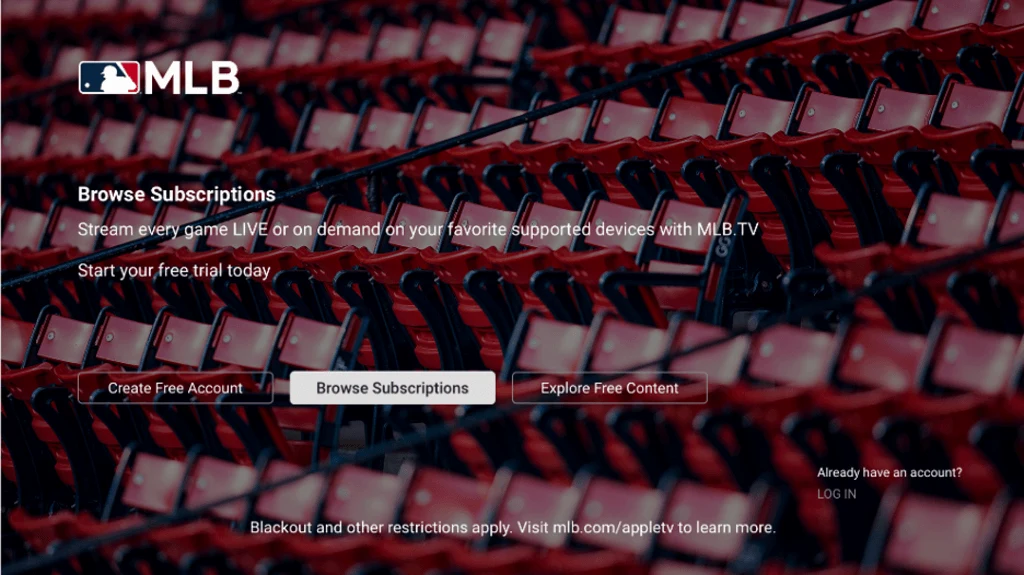
For a phone or tablet, install the official MLB app, update it and sign in before game time. On the current iOS layout, the Watch area contains the Games listing. Other devices may arrange the controls differently, so use the instructions for that device rather than assuming every screen has an identical menu.
Test an available video, check that you can choose the intended game and confirm the sound reaches the speaker or headphones you plan to use. If you want a television picture, test that route as well. Being able to watch on a phone does not prove that every casting or mirroring combination will work.
Your viewing location can change availability
When traveling, check availability for the place where you will watch, not only the country where you originally bought the subscription. A trip into the US or Canada can put you under a different game-access rule. The receipt establishes the purchase; it does not erase the location conditions attached to a broadcast.
Prepare before leaving by confirming the destination's game options, keeping access to the account email and bringing a supported device you have already tested. Hotel televisions may lack the app, and public networks may require a browser sign-in before an internet connection works. Those practical limits are easier to handle with a known alternative screen.
If the service appears to identify your location incorrectly, record the error, the actual country and whether you are on hotel Wi-Fi, home broadband or mobile data, then contact official support. Repeatedly reinstalling the app cannot establish a right to a game excluded in that location. Diagnose the rights question and the connection question separately.
Manage renewal, cancellation and refunds through the seller
Use the terms of your actual purchase. The October one-time offer described above should not be confused with a separate seasonal, monthly or partner-billed subscription you already hold. Reviewing one product's expiry does not cancel another product's renewal. Check each active entry and identify the seller before making changes.
For a direct MLB purchase, the official cancellation instructions point to the Account area and Manage Subscriptions. For a purchase through another provider, follow that provider's management route. Deleting the viewing app or signing out is not a reliable way to change the billing agreement.
| Receipt identifies | Start with | Record to keep |
|---|---|---|
| MLB as seller | MLB account subscription management | Cancellation or renewal-status confirmation |
| Apple as seller | Subscriptions for the Apple Account on the receipt | Displayed expiry or cancellation status |
| Another partner | That partner's official billing support | Product, merchant and effective date |
Cancellation and a refund are different requests. Stopping a future renewal does not necessarily return the amount already paid, and requesting money back should not be treated as completed until the seller confirms the outcome. Check both the current access period and the status of any future charge.
MLB's direct-purchase refund policy describes requests within five days of the initial purchase or annual automatic renewal. It also sets limits, including no partial prorated refunds. That is not a promise that a different merchant will apply the identical process. If you bought through an app store, start with that store's applicable refund instructions.
Act promptly if you discover the wrong product or an unexpected charge. Keep the receipt, the product name and the date you contacted the seller. Avoid waiting until the next important game to resolve a billing issue; a delayed request can be harder to assess and can leave the viewing problem unresolved.
Before closing the account page, confirm what the screen actually says: active until a date, renewal disabled, refund requested or refund approved. Those are distinct statuses. A saved confirmation gives you a much clearer record than relying on the disappearance of an app icon or an assumption that the postseason ending has stopped every subscription automatically.
Plan around time zones, replays and playback problems
Following MLB from overseas often means a different calendar day. A US evening game can fall in the middle of the European night or the following morning in Asia and Australia. Check the time-zone label on the schedule and your device's local setting; a familiar matchup displayed under tomorrow's date may still be the same game.
Daylight-saving changes can also alter the gap between countries during the postseason. Avoid applying one memorized offset throughout October and November. Use the current MLB TV schedule, confirm the displayed zone and place the intended game in your own calendar. That is more reliable than assuming every US evening start corresponds to the same local hour all season.
If you plan to watch later, distinguish a full archive from a condensed game or recap. MLB's international postseason instructions list on-demand archives 90 minutes after the game. That wait begins after the conclusion, not after the scheduled first pitch. A long game therefore pushes the archive later as well.
Our replay guide explains the formats. For a spoiler-conscious morning routine, open the game listing deliberately and check notification preferences beforehand. An available highlight package does not necessarily mean the complete replay has finished processing.
Check entitlement before troubleshooting the network
| What you see | First question | Useful next step |
|---|---|---|
| Subscription required | Is this the account holding the purchase? | Check receipt and official linking instructions. |
| Location or blackout message | Is this game available where I am? | Review country terms and contact support if misidentified. |
| Video starts but buffers | Is the connection stable? | Test the network and supported-device guidance. |
| Only recap appears | Is the full archive available yet? | Check the format and time since the final out. |
Once access is confirmed, follow the official device and network troubleshooting steps. Update the app, restart the affected device and check whether the problem also occurs on another supported screen. If you use a VPN or proxy and playback fails, MLB's network guidance recommends disabling it and trying again. Those steps diagnose the connection; they do not change a country's game rights.
When asking support for help, provide the matchup, viewing country, device model, app version and exact message. Note whether the issue affects one game or every video, and whether it changes between your normal connection and another available network. That information narrows the problem far more than a general report that MLB.TV is broken.
A workable international setup combines the right package, an identified billing provider, a supported screen and a realistic viewing time. Confirm those before the next game you care about, then return to the current offer and country notice whenever your location, season or subscription changes.
Loading comments...