
When to use Stathead instead of a regular player page
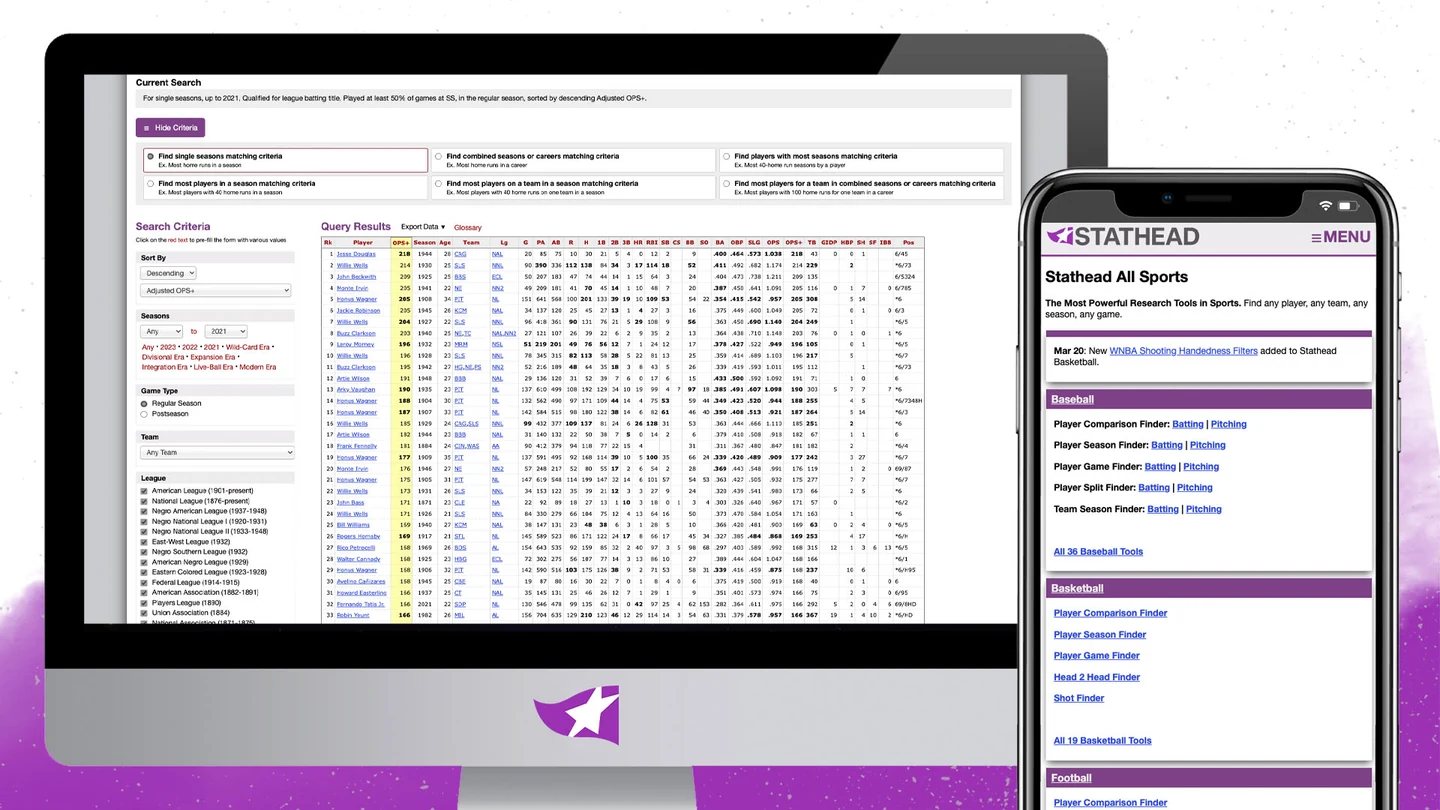
Stathead Baseball is Sports Reference's set of tools for searching baseball records by conditions you choose. Use it when your question starts with which players, which games, or how often under these conditions. For a question about a single known player or game, Baseball Reference's player pages, game logs and box scores often get you to the answer in fewer steps. Both are Sports Reference products. A page shows data already organized around a player, team or game. A finder lets you define the group of records before looking at the results.
Start by deciding what one row should represent. Suppose a friend asks for a list of hitters who reached a home run total. Ask whether they mean that many home runs in one season, over a career or during a particular range of years. A correct answer to the wrong version of that question can appear perfectly plausible. The same issue comes up with games. One player batting line, one game with an entire team's totals and a list of individual plays might all include a home run column. Each answers a different question.
| Question | Starting point | What to look for |
|---|---|---|
| What was one named player's career batting line? | Baseball Reference player page | The player's career totals and annual rows |
| Which hitters reached the same threshold in one year? | Player Batting Season Finder | One matching season per row |
| Which individual games met the threshold? | Player or Team Game Finder | One player's line or one team's line for a game |
| How did two teams fare against each other? | Versus Finder | Head-to-head record in the period selected |
| What was the launch angle of a specific hit? | Baseball Savant Statcast Search | Tracked MLB pitch and batted-ball data where available |
The shortest route is frequently a known game's MLB box score. If you know the date and want to confirm how many runs a batter drove in, read the batting line there. If you want to identify every player game that met that RBI mark over a decade, use a Game Finder. Start broad enough to see whether you chose the right unit, then add the filters that actually define the question.
Baseball Savant is a separate MLB service. Its Statcast search is a good place to start when the question depends on exit velocity, launch angle or pitch movement. Some questions require both tools. You might identify matching batting games in Stathead, then open Statcast to investigate how a particular ball was hit. Historical seasons may have conventional batting lines even when there is no tracking measurement to retrieve.
Sports Reference offers Stathead as a subscription product. You can inspect the publisher's baseball onboarding guide and some shared examples before deciding whether custom research is worth paying for. Access to a shared example and access to run your own queries are different. Use Sports Reference's current account information if the result or export you need requires signing in.
Find a player season without changing the question
A season search is easiest to check when you already know one answer. Use that answer to tell whether the tool is giving you the right kind of row. Once the known season appears with the right league, team and total, you can expand the years or raise the threshold to investigate something less familiar.
Turn Aaron Judge’s 62 home runs into a season query
Open the Player Batting Season Finder and choose the mode for single seasons. Set both season endpoints to 2022, select the regular season, and choose the American League. Sort by home runs, highest first. Keep the team selection open so the query includes the entire AL. If all you want to inspect is the high end of the league, you can also require at least 60 home runs. Start without that requirement when checking your setup, because a cutoff may hide the very rows you need to diagnose a wrong filter.
The target row is Aaron Judge, New York Yankees, 62 home runs in 157 games. The Yankees' 2022 season figures for Judge confirm those numbers. Judge broke Roger Maris's American League record of 61. Searching every league and season would answer a different question. For example, MLB's historical comparison includes Barry Bonds's 73 for San Francisco in 2001. A heading that called Judge the 2022 AL leader would describe the restricted query. A heading that called it the overall major league record would reach beyond it.
Once the row looks right, widen one filter at a time. Keeping the AL and adding earlier seasons lets you find historical comparisons with Judge. Keeping 2022 and including the NL lets you compare the two leagues that year. If you change the years and leagues together, you lose an easy way to see which filter accounted for a new result.
Separate seasons, careers and rate-stat qualification
The combined-seasons or career mode sums eligible seasons before returning a player's result. A season row and a career row might carry the same column heading for home runs, but their totals represent different windows. Counting how many 40-homer seasons each player had is a third question. It requires counting seasons that satisfy a threshold rather than sorting either the highest single year or the largest career total.
Sorting by batting average introduces another choice. A hitter who went 4-for-8 has a .500 average on those eight at-bats. If you want sustained performance, set a minimum number of opportunities and report it. A custom 200 plate appearance cutoff is useful for some questions. The official batting title rules generally use 3.1 plate appearances per scheduled league game for modern seasons and allow a specific exception. A player just short of the standard can still win if the player's rate remains highest after the missing opportunities are treated as hitless at-bats. Say which standard you used, especially when comparing several eras.
Use the Game Finder for an individual performance
A Game Finder is useful when you remember what happened but need to identify the date. You can also use a famous game as a check on a wider search. If a known performance disappears from a result set where it clearly belongs, look at the choice of batting or pitching, the game type, the year and the direction of any team or opponent filter before changing the question.
Find Shohei Ohtani’s six-hit game in Miami
Start in the Player Batting Game Finder. Choose individual games, set the year to 2024 and use the regular season. You want at least six hits. Use the Dodgers for the batting team and Miami for the opponent to narrow the search, or keep the team fields open and identify the matchup in the results. Identify the Ohtani row by team, opponent and date before reading the other columns. A player and a club can have the same number of hits in a game, which makes it worth checking the name at the start of the row.
The check is September 19, 2024, Dodgers at Marlins. The Dodgers won 20–4, and Ohtani went 6-for-6 with three home runs, two doubles, ten RBIs and two stolen bases. MLB's record of his 50–50 game gives the lineup of hits and the final score. If your own query returns an answer for a different date or a season row, that is a signal to review the filters, even if one column has a familiar number.

The 50–50 milestone describes cumulative season totals through that game. The three homers and two steals describe the Miami game. A Game Finder with one row per outing makes the second set of numbers straightforward to read. A season summary supplies the first. A search for other games with multiple homers and steals would remove the Dodgers and Miami restrictions while keeping the matching stat requirements.
Choose game rows, spans or team totals
Counting games where a player hit at least three homers gives a count of qualifying appearances. Summing statistics over those qualifying games gives a different answer, and it leaves out all the other games. That distinction matters if you use a query to estimate how often a hitter did something. The appropriate denominator is the total number of eligible appearances, which requires knowing the scope of the unfiltered search.
For the largest total over a consecutive run of games, use the Span Finder. A selected span includes the ordinary days adjacent to the exceptional one, so its result can answer how productive a longer stretch was. For a question about how many hits the entire Dodgers lineup collected, switch to the Team Game Finder. One game can produce one team line, many player lines and dozens of plays. Choose the unit that matches what you plan to count before comparing it with another result.
Compare teams or players with the right Versus Finder mode
Open Stathead's Versus Finder and choose Compare Teams. Set the same season for both team selections, then enter the Los Angeles Dodgers and New York Yankees for 2024. In a team comparison, check whether the table describes each team's performance against all opponents or their actual head-to-head meetings. For this question, you need the results when they faced each other. You can verify which games belong in the answer by reading the dates and competition type against a public schedule.
They met three times in the 2024 regular season, all at Yankee Stadium from June 7 to 9. Los Angeles won the first two, 2–1 and 11–3, and New York won the finale 6–4. From the Dodgers' perspective the regular-season head-to-head record was 2–1. Read it from the Yankees' perspective and it was 1–2. If you look up the same three dates in the Yankees' official 2024 schedule, the result letters follow New York. The dates, teams and final scores stay the same.
Set the June rows aside when answering the championship question. The October World Series ended 4–1 Dodgers, as shown in the 2024 playoff bracket and results. If a display groups both types of games together, use the postseason rows or cross-check the series in MLB's October archive. Adding every 2024 meeting produces six Dodgers wins and two Yankees wins. That figure is valid only for the combined set. It cannot tell a reader how many games the World Series lasted or what happened on the June visit.
Player comparisons need the same discipline. Comparing two hitters' season lines asks how each did against his full slate of opponents. Looking at one hitter against a particular pitcher narrows the sample to their direct meetings. If one hitter has three at-bats in the matchup and another has thirty, a rate without those counts is hard to interpret. Keep the denominator next to the statistic, and label career and season filters clearly. A player can have excellent numbers in a few head-to-head appearances without giving you much evidence about the next series.
The quickest check on a comparison is to put the question in the same form you would use to answer someone out loud. “Who won the June series at Yankee Stadium?” fits three games under one competition type. “Who won the World Series?” fits five under another. A combined query is only handy when you intend to ask about both sets.
Verify and share the answer
Before sending a result to anyone, ask whether you can explain in a sentence why a row was included. The sentence should name the player or teams if relevant, the years, the game type and the measurement. If that sentence uses the word “ever,” reread the coverage and competition filters. The earliest eligible records in a seasonal total can differ from the earliest records for an individual event.
Cross-check a result before treating it as a record
Open one game box score or a player season page and match names, date, units and statistic. A doubleheader can create two games on the same date. Use the opponent, game number or game ID when there is more than one possible match. If you are counting league leaders, look at the next rows too. A sort order can put one name first even when another player has the same total. For a rate, check the number of opportunities and whether you are comparing displayed rounded values or the underlying numbers.
Historical games require an additional check. Sports Reference's baseball data guide describes coverage by type, and some older splits depend on play-by-play that has gaps. Run a broader query if a known player disappears or if the only result is an empty table. Look at what leagues the search includes and whether the tool has the particular statistic for that era. A question about all MLB history needs a broader scope than one restricted to the AL and NL. For example, MLB added recognized Negro Leagues statistics to the official record in 2024, and newly verified records can change historical totals. Describe a surprising result as a match in the available dataset until you can support a wider claim.
Keep a reproducible record of the filters
If your Stathead view offers a share link, include it with a short written record of your search. The service documents sharing and table-export options for available results. Keep the plain-language version alongside the link, so a reader without access to the same view can still understand the claim. A small research log for the Miami game could read as follows.
- Question Which Dodgers batting line at Miami in the 2024 regular season included at least six hits?
- Scope and unit Individual player batting games, regular season, 2024, Dodgers batting, Marlins opponent, six or more hits.
- Result to verify Shohei Ohtani recorded six hits on September 19. MLB's public box and story identify that date and confirm the 20–4 final.
- Reuse To extend this to another team, change the batting-team filter and record which other conditions stayed in place.
Add the date you checked the result when the season is in progress or the historical record can change. A strong answer keeps the row, its filters and the underlying record together. If your next question is about a game yet to be played, use the MLB games today page or the MLB television schedule for the current listing before opening your historical comparison.
Loading comments...