
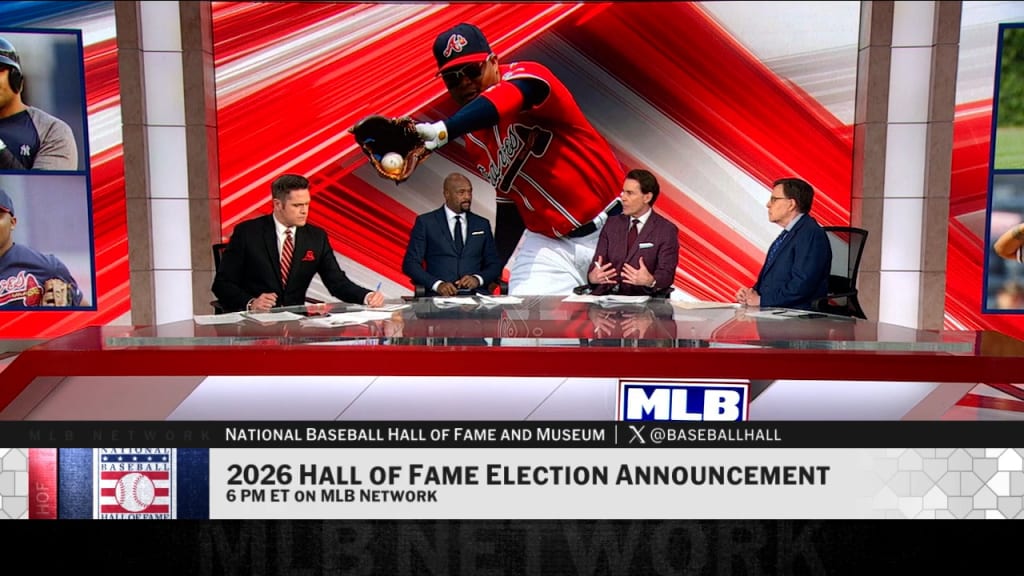
No—MLB Network is not part of YouTube TV's advertised channel lineup as of August 26, 2026. That does not mean YouTube TV has no baseball. Its own MLB page lists national outlets such as ESPN, TBS, FOX, FS1 and NBC, so subscribers can still see many regular-season and postseason broadcasts when the relevant network is available in their area. What they do not receive is the dedicated 24/7 MLB Network channel through the YouTube TV lineup.
Three similarly named products cause most of the confusion. MLB Network is a television channel with live games, studio shows and analysis. MLB.TV is primarily an out-of-market game package with blackout rules. “MLB on YouTube TV” simply means a baseball game is airing on a channel that YouTube TV carries. Paying for one does not automatically provide the other two.
This guide explains what YouTube TV still offers baseball fans, what its 2026 plans cost, whether it carries the World Series, and which legal alternatives add MLB Network. If you are trying to find one specific matchup rather than compare subscriptions, check the current MLB TV schedule first. The assigned network—not the league name alone—determines whether that game fits your package.
Is MLB Network on YouTube TV right now?
No current YouTube TV plan advertises MLB Network. The official YouTube TV baseball page names the national channels it uses to deliver MLB coverage, yet MLB Network is absent from that list. A Google-hosted support answer from April 2026 likewise says the service does not offer either MLB Network or MLB.TV. That is why adding the Sports Plan or opening an ordinary YouTube Primetime Channels menu should not be treated as a workaround.
The dedicated channel disappeared after YouTube TV's carriage agreement with MLB Network expired on January 31, 2023. MLB.TV, which had once been sold as a separate YouTube TV add-on, was removed shortly afterward. Those events explain why an old setup guide, channel-list screenshot or saved search result may still claim both products are available. It is describing an earlier lineup, not the service being sold in August 2026.
MLB Network, MLB.TV and MLB games are different products
- MLB Network is the round-the-clock channel for programs such as MLB Tonight, analysis, documentaries and selected live games.
- MLB.TV is a subscription centered on live and on-demand out-of-market regular-season games, subject to blackouts and national exclusivities.
- MLB games on YouTube TV are games carried by channels inside the subscriber's plan, such as FOX, FS1, ESPN, TBS or NBC. Their presence does not add the MLB Network feed.
The most reliable check takes less than a minute. Open YouTube TV's lineup page, enter the ZIP code for your home area and inspect both the plan channels and Membership add-ons for the exact name MLB Network. A tile labeled “MLB,” a team page, a recorded baseball game or an MLB highlight is not the same thing. Provider agreements can change, so that ZIP-specific lineup is more useful than an undated search snippet—and it should be checked again before a long subscription commitment.
What MLB channels and games can you watch on YouTube TV?
YouTube TV can still cover a substantial share of nationally televised baseball. Its 2026 MLB page names ABC, ESPN, TBS, FOX, FS1, NBC and NBCSN among the outlets that show games. A subscriber may therefore see marquee regular-season windows and postseason games without receiving MLB Network. The exact mix changes by date, so use the game-by-game MLB TV schedule to identify the assigned outlet instead of assuming every Saturday or Sunday game uses the same channel.
| Channel type | What it can provide | What to verify |
|---|---|---|
| National cable networks | Selected regular-season and postseason broadcasts on outlets such as ESPN, TBS and FS1 | That the exact network belongs to the selected YouTube TV plan |
| Broadcast affiliates | National windows carried by local FOX, NBC or ABC stations | The affiliate available for the home ZIP code and the game's local listing |
| Regional sports networks | Some in-market team broadcasts where YouTube TV has the regional channel | Whether that RSN is actually offered in the viewer's home area |
| MLB Network | Nothing through the current YouTube TV lineup | A separate MLB product or another provider |
National broadcasts are not the same as local team coverage
A service can carry the national FOX game and still miss most broadcasts for a fan's hometown club. YouTube TV's help center says regional sports coverage depends on the home area, and its lineup tool requires a ZIP code for that reason. Local affiliate availability can also vary. The safe process is to find the game's named channel, confirm that exact channel in the local lineup, and only then count the matchup as available.
For the broader rights picture, the site's 2026 MLB national TV guide explains how the national partners fit together. For a same-day decision, open the MLB games today page for start times, then cross-check the TV listing. YouTube TV's unlimited DVR and household profiles are convenient once a game is in the package; they cannot create access to a missing channel or override a rights restriction.
How much does YouTube TV cost for MLB fans in 2026?
YouTube TV's official baseball page lists its comprehensive main plan at $82.99 per month and its sports-focused plan at $64.99 per month as of August 26, 2026. There is no separate MLB charge built into either price. You are paying for a channel bundle that includes some MLB broadcasters, not for a league pass that unlocks every baseball game.
| Plan | Advertised regular price | 12-month arithmetic | Baseball tradeoff |
|---|---|---|---|
| YouTube TV main plan | $82.99/month | $995.88 | 100+ channels and the broadest non-sports programming, but still no MLB Network |
| YouTube TV Sports Plan | $64.99/month | $779.88 | 30+ sports/local channels at a lower price, but still no MLB Network |
The $18 monthly difference equals $216 over 12 months if both regular prices remain unchanged. That simple comparison is more useful than an expiring signup banner: the new-user offer visible during this review was scheduled to end on August 26, so its promotional total should not be assumed for a later purchase. Taxes, future price changes and separate subscriptions can also change the household's real total. Always read the checkout screen before confirming.
The lower Sports Plan makes sense when its lineup contains every national and local channel you actually use. YouTube TV says plan availability can vary when billing runs through a mobile carrier, internet provider or app platform; direct billing may show more choices. Enter the home ZIP code and compare the two live lineups before switching, because saving $18 is not useful if the move removes a non-baseball channel your household needs.
Finally, budget for the coverage gap rather than focusing only on the base price. A fan who wants the MLB Network studio channel, every available out-of-market team feed or an unavailable local network may need a separate product. Those combinations are compared below; neither YouTube TV price alone promises complete MLB coverage.
Can you watch the World Series and MLB playoffs on YouTube TV?
Yes—YouTube TV can carry the principal linear-TV broadcasts for the 2026 MLB postseason, including the World Series on FOX. MLB's schedule sets World Series Game 1 for Friday, October 23, with every game assigned to FOX. MLB Network is not the World Series channel, so its absence from YouTube TV does not by itself prevent a subscriber from watching the Fall Classic.
The earlier rounds use several outlets. MLB's August 10 postseason announcement places the Wild Card Series on NBC, Peacock and NBCSN; the National League Division and Championship Series on FOX or FS1; and the American League Division and Championship Series on TBS, with additional simulcast platforms. YouTube TV's own baseball page specifically advertises playoff access through NBC, TBS, FOX and FS1. That covers the core linear networks, but a YouTube TV subscription should not be read as access to every separate streaming simulcast named in MLB's schedule.
World Series coverage on FOX is delivered through the local FOX affiliate, so confirm that the available YouTube TV plan includes the correct station in the ZIP code where you will watch. Travel can change the local affiliate presented by the service. Also check the game listing again near first pitch: postseason times and “if necessary” games depend on earlier results, and a DVR search result is not a guarantee that the live feed will remain on one network.
Use the site's 2026 MLB playoff schedule and bracket for the round-by-round dates and current path to the World Series. The practical setup is simple: identify the game and network, verify that network in your local YouTube TV lineup, then schedule the recording. Buying a separate MLB Network subscription is useful for its studio coverage, but it is not a substitute for FOX when the World Series begins.
Best ways to get MLB Network without YouTube TV
The right alternative depends on whether you want the MLB Network channel, a large library of out-of-market games, or a complete replacement for your live-TV bundle. MLB Network carries selected games and extensive studio programming; it is not a league pass for all 30 clubs. Start with the missing product, then choose the least expensive service that actually fills that gap.
MLB+ for the dedicated channel
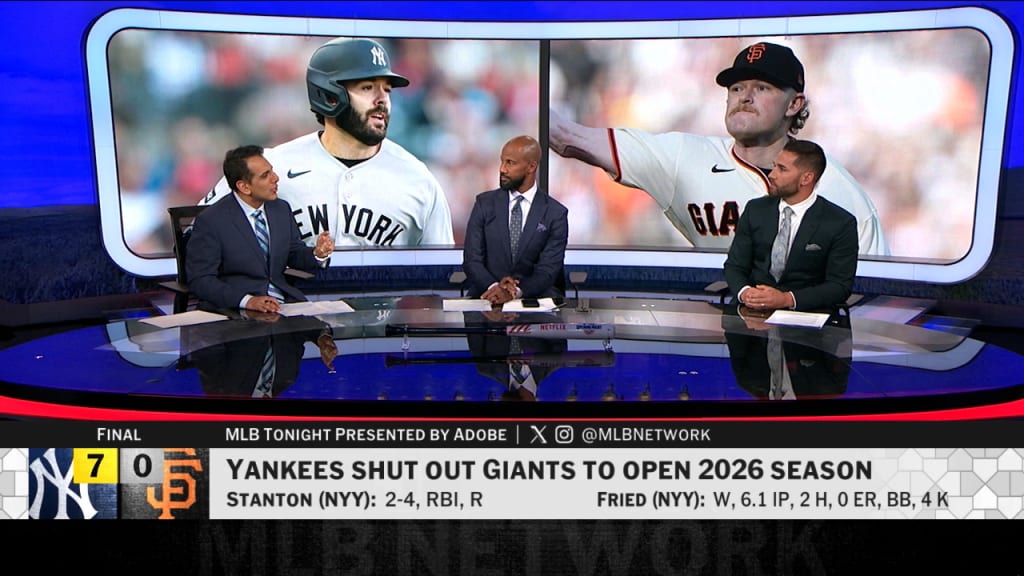
MLB+ is the most direct add-on for a YouTube TV customer who mainly misses MLB Network. MLB listed it at $5.99 per month or $59.99 per year when this guide was checked. The U.S. package streams MLB Network 24/7 and adds blackout-free radio for all 30 teams, select out-of-market games shown on MLB Network, MiLB games, MLB Big Inning and Gameday 3D.
The limitation is just as important: MLB+ does not unlock every out-of-market television feed or replace a missing local team channel. A fan satisfied with YouTube TV's national games can pair the Sports Plan with MLB+ for an advertised $70.98 per month before taxes or future changes. That combination restores the channel while preserving YouTube TV's other national outlets.
MLB.TV for out-of-market games plus MLB Network
Full MLB.TV is the better fit for someone following a team outside the home television territory. MLB says its 2026 package includes live and on-demand out-of-market regular-season games, U.S. MLB Network access, team radio, MiLB and MLB Big Inning. Home-territory blackouts and national exclusivities still apply, so it should never be described as a guaranteed stream of every game.
In-season prices can change, and MLB has also moved 2026 purchasing and viewing options through ESPN. Check the current checkout total rather than relying on an Opening Day price. The site's complete 2026 MLB.TV subscription guide covers current pricing, account linking, devices and cancellation in more detail.
Live-TV providers that list MLB Network
Replacing YouTube TV can make sense when the problem extends beyond one channel. Sling's 2026 baseball guide puts MLB Network and MLB Strike Zone in Sports Extra, an add-on advertised at $11-$15 per month depending on the base package. DIRECTV lists MLB Network in MySports and CHOICE or higher, with other package-specific routes through Sports Pack. Both providers require a careful lineup comparison: national networks, local affiliates and regional team channels are distributed differently.
| Option | Best for | Main caution |
|---|---|---|
| MLB+ | Keeping YouTube TV and adding MLB Network cheaply | Not a complete out-of-market or local-game package |
| MLB.TV | Following one or more out-of-market clubs | Blackouts and national exclusivities still apply |
| Sling with Sports Extra | Building a lower-cost live-TV bundle around selected channels | Base-package and local-channel gaps vary |
| DIRECTV eligible package | Combining MLB Network with a broader cable-style lineup | Package and market determine total cost and RSNs |
Do not switch on the strength of a provider logo alone. Enter your ZIP code, confirm MLB Network by name, then check the other channels used by your favorite club. A nominally cheaper replacement can cost more once the required base plan, sports add-on and local coverage are included.
The best YouTube TV setup depends on which games you follow
No bundle can be judged by its MLB channel count alone. A national-game viewer, an out-of-market Yankees fan in Arizona and a Yankees fan living in New York have different rights problems. Identify your viewing pattern first, then match it to the product designed for that job.
If you mainly want national games
Start with YouTube TV's Sports Plan and verify that your ZIP receives the needed local FOX and NBC affiliates as well as ESPN, TBS and FS1. The lower sports-focused price may cover most of your use without a second baseball subscription. Add MLB+ only if MLB Network's selected games and studio shows are genuinely important to you.
If you follow an out-of-market team
Pairing YouTube TV with MLB.TV is the logical starting point. YouTube TV covers available national windows while MLB.TV supplies the club's out-of-market home and away feeds. Check MLB's blackout locator before paying: territory rules are based on physical location and can block the selected club whether it is playing at home or on the road. National exclusivities also remain outside ordinary out-of-market access.
If you follow your local team
Do not buy MLB.TV first and hope it bypasses the local channel. Find the broadcaster used for that club, then determine whether YouTube TV carries it in your home area. If the regional network is absent, compare the club's official in-market streaming package or a provider that carries the channel. A separate MLB Network subscription usually will not solve this problem because the dedicated channel does not reproduce every team's local telecast.
If you mainly want MLB Network shows
Keep the YouTube TV plan that fits the rest of the household and add MLB+ directly. This is usually a cleaner purchase than replacing a full live-TV service just to watch MLB Tonight, MLB Now, Quick Pitch and selected MLB Network games. A complete service switch becomes reasonable only when another provider also fixes missing local or household channels.
Before checkout, run a three-step test:
- Look up the actual broadcaster for several games you expect to watch, including one national game and one ordinary team broadcast.
- Enter your ZIP code in the live-TV provider's channel tool and confirm each broadcaster by name.
- If MLB.TV is part of the plan, enter the same location in MLB's blackout checker and read the current restrictions.
This method catches the expensive mistake a generic “best MLB streaming service” ranking misses. A setup is complete only for the games and programs you personally follow, and even then schedules, rights and provider carriage can change.
Will YouTube TV get MLB Network back?
No official return date had been announced as of August 26, 2026. YouTube TV's current baseball page still omits MLB Network, its help community still describes the channel as unavailable, and MLB Network's official press-release index contains no carriage-return announcement found during this review. That evidence supports the current “not available” answer; it cannot prove what the companies may negotiate later.
Treat app-guide anomalies and social posts cautiously. A channel tile that appears briefly, a program in search results, an old recording or an MLB Network clip on ordinary YouTube does not establish live-channel access. The meaningful test is whether MLB Network appears as a playable network in the plan or add-on lineup for the subscriber's ZIP code.
Use this checklist when a new rumor appears:
- Open YouTube TV's official lineup page and enter the home ZIP code.
- Check Settings → Membership for a named MLB Network add-on.
- Look for a dated announcement from YouTube TV or MLB Network, not a screenshot without context.
- If the channel appears, start a live stream and confirm that YouTube TV is accepted as the provider.
YouTube TV's help pages allow customers to request a network, but a submitted request is feedback, not confirmation of a deal. Until an official lineup or announcement changes, budget around MLB+, MLB.TV or another provider instead of subscribing on the expectation that MLB Network will return during the season.
YouTube TV and MLB FAQ
Is MLB Network in the YouTube TV Sports Plan?
No. The 2026 Sports Plan page promotes MLB broadcasts through local stations, ESPN and TBS, but it does not list the dedicated MLB Network channel. The plan can deliver baseball games and programs such as Baseball Tonight without carrying MLB Network. Check the exact ZIP-code lineup before purchase in case a later carriage agreement changes that answer.
Does YouTube TV include MLB.TV?
No. MLB.TV is a separate out-of-market subscription, and the old YouTube TV add-on is no longer part of the current service. In 2026, U.S. customers can buy and stream MLB.TV through ESPN, then link an MLB account for additional features in the MLB app. That arrangement does not turn MLB.TV into a YouTube TV plan benefit.
Can I watch MLB games free on YouTube TV?
Only when a game is on an included channel and you have a valid trial, promotion or brief preview that applies to your account. YouTube TV says new-user trials are usually available, but eligibility and duration vary; an offer visible today may disappear tomorrow. A trial is not a season-long free MLB package, and it does not add MLB Network, an unavailable local channel or a separate streaming exclusive. Confirm the game channel and the cancellation deadline before signing up.
Can I watch YouTube TV MLB games while traveling?
Often, but location rules still matter. YouTube TV says traveling viewers receive local channels for their current location, while regional and recorded content can behave differently. Frequent travelers generally need to use the service from their home area at least once every three months; the help page gives MLB fans a stricter recommendation to check in from home once every 30 days to avoid baseball-related viewing restrictions. Enable location access and verify the local channel before first pitch.
Last fact-check: August 26, 2026. Channel carriage, plan prices, trials and blackout rules can change. The shortest accurate answer remains: YouTube TV shows plenty of MLB baseball, including the World Series on FOX where available, but it does not currently include MLB Network or MLB.TV.
Loading comments...